I have spent a large part of my working life trying to master the art of AV rackbuilding. Creating something that looked pleasing to the eye became like a drug but as the projects rolled on I started to look past the cabling, I wanted to understand what was going on. This post is about a project that pushed that feeling to its limit. A large superyacht, three decks, enterprise Cisco switching throughout, a fully isolated Crestron NVX video network, four separate WAN connections, 53 wireless access points and 32 VoIP phones. I built every inch of it. And it’s also the project that finally made me sit down and start working towards my CCNA.
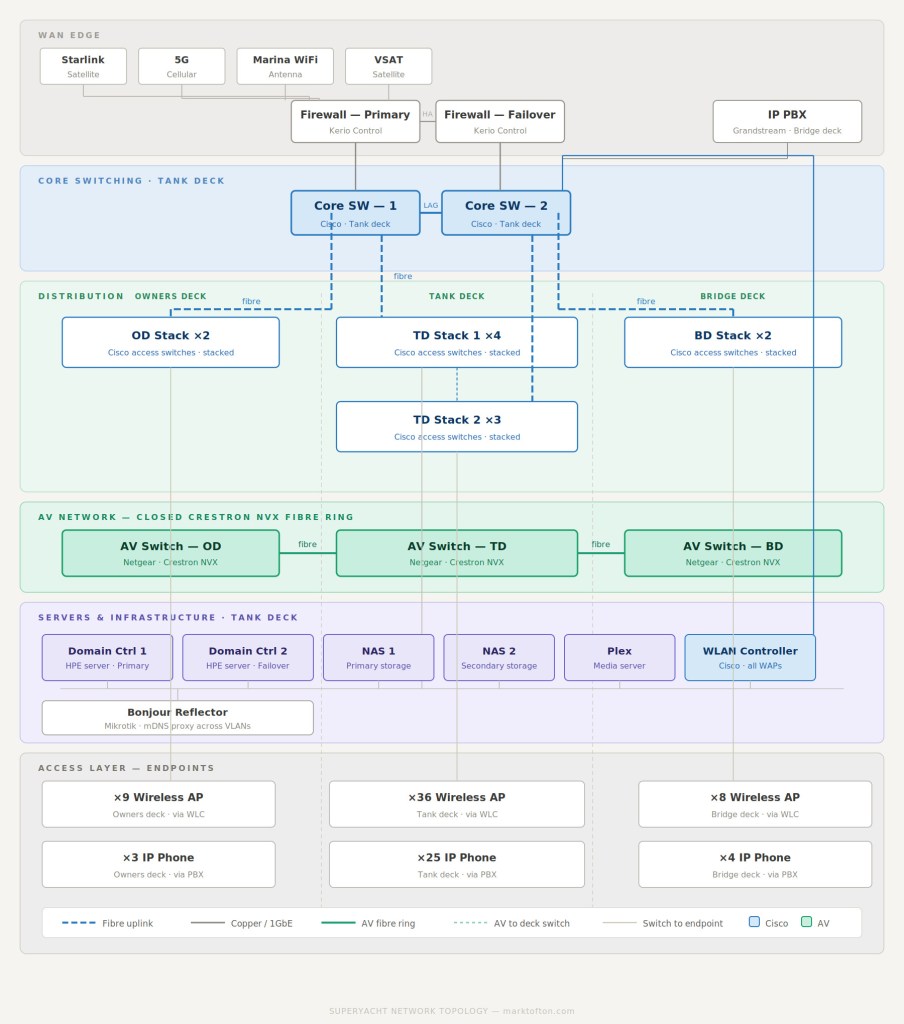
The network devices run across the three different decks our racks were located on, tank deck, owners deck and bridge deck. The tank deck is the central AV room, housing the two Cisco core switches, seven access layer switches split across two stacks, all the servers, wireless LAN controller, the Bonjour reflector and pretty much all of the NVX equipment/central sources. The owners deck and bridge deck each have their own stacked Cisco switches connecting back to the core via fibre.
On top of that there’s a completely separate AV network, a closed fiber ring of Netgear switches running the Crestron NVX video distribution system. The WAN edge on the bridge deck runs through a Kerio firewall (One was a designated cold spare) handling four separate internet connections. It’s a lot of kit, and I physically installed and terminated all of it in the central areas.
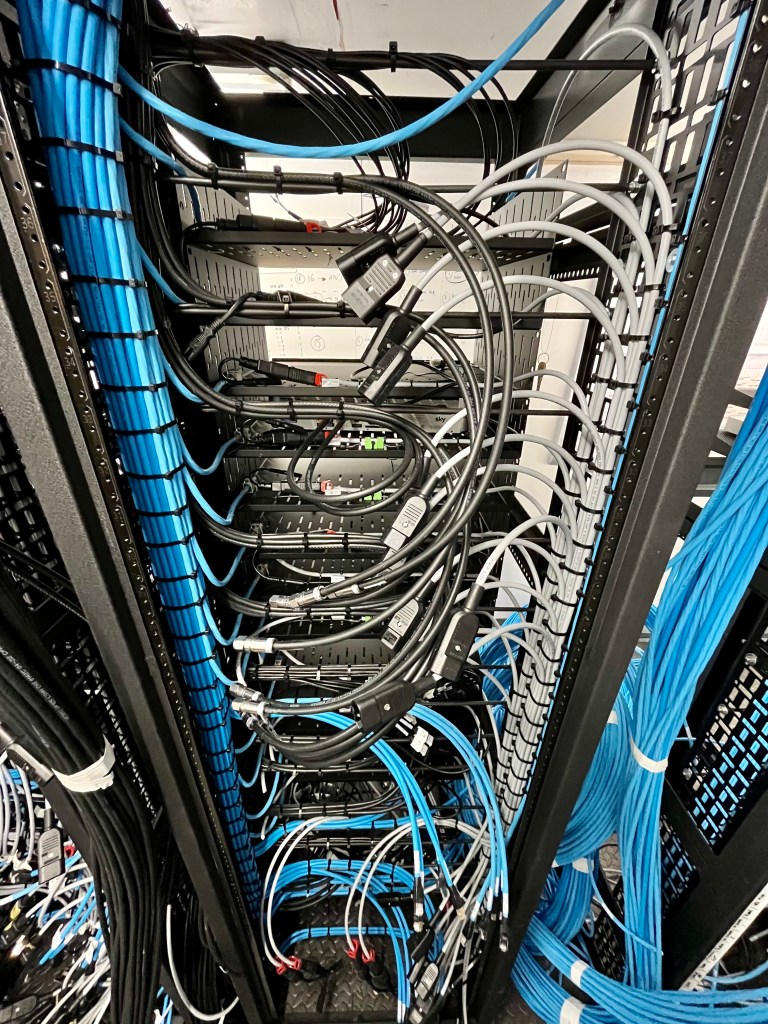
The central racks on the tank deck were my responsibility from the start. Planning and tweaking the layout in prebuild, initial cable management, PDU positioning and all of the other little details that come with starting 11 central racks. On a boat you don’t get the luxury of a clean data centre environment. You’re working around structural frames, bilge access hatches, lift control units, fan coil units and all manner of other trades on a daily basis. Everything has to be mounted properly, everything has to be secure and your cable management and connections have to survive some bumpy conditions.
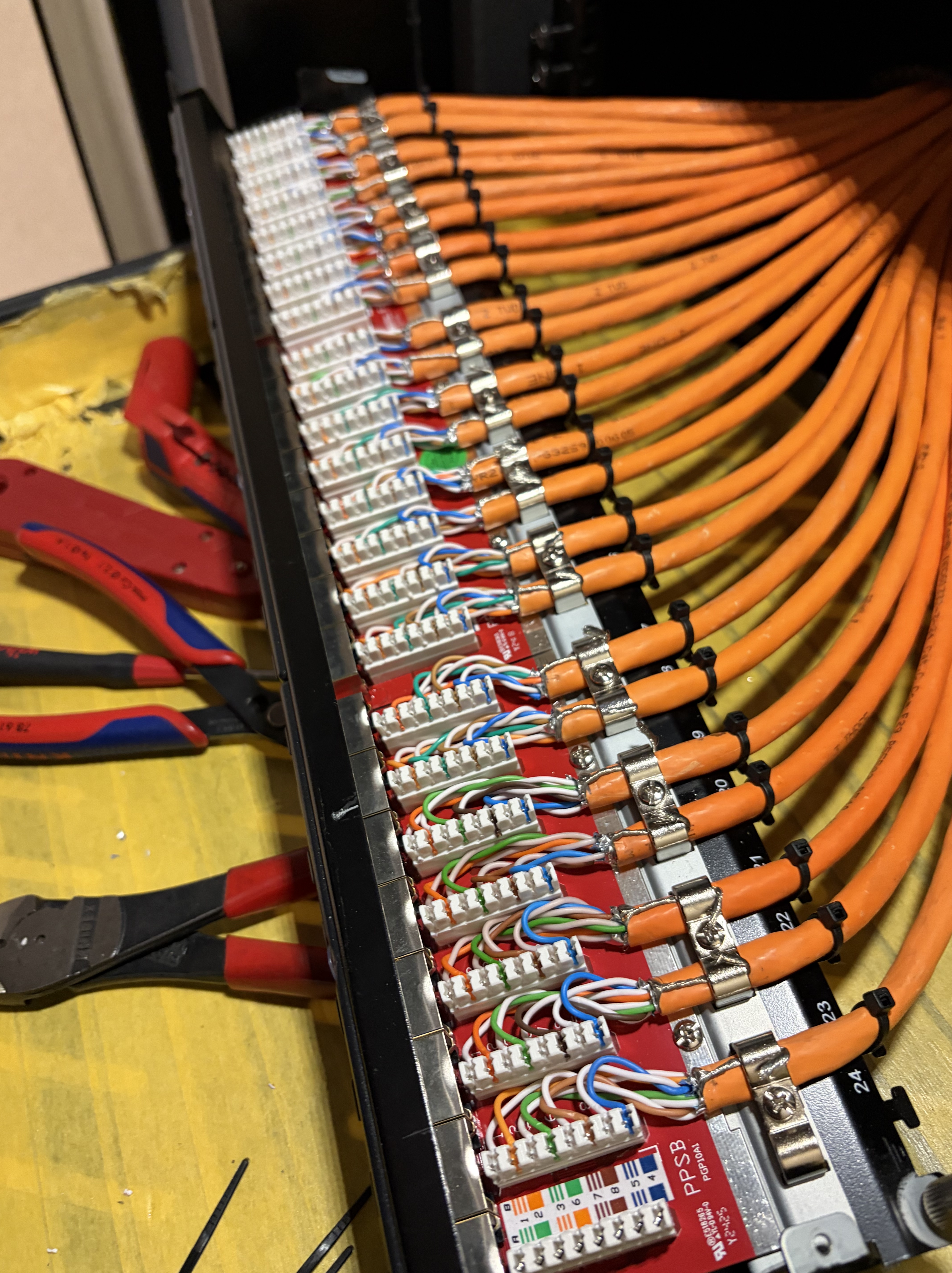
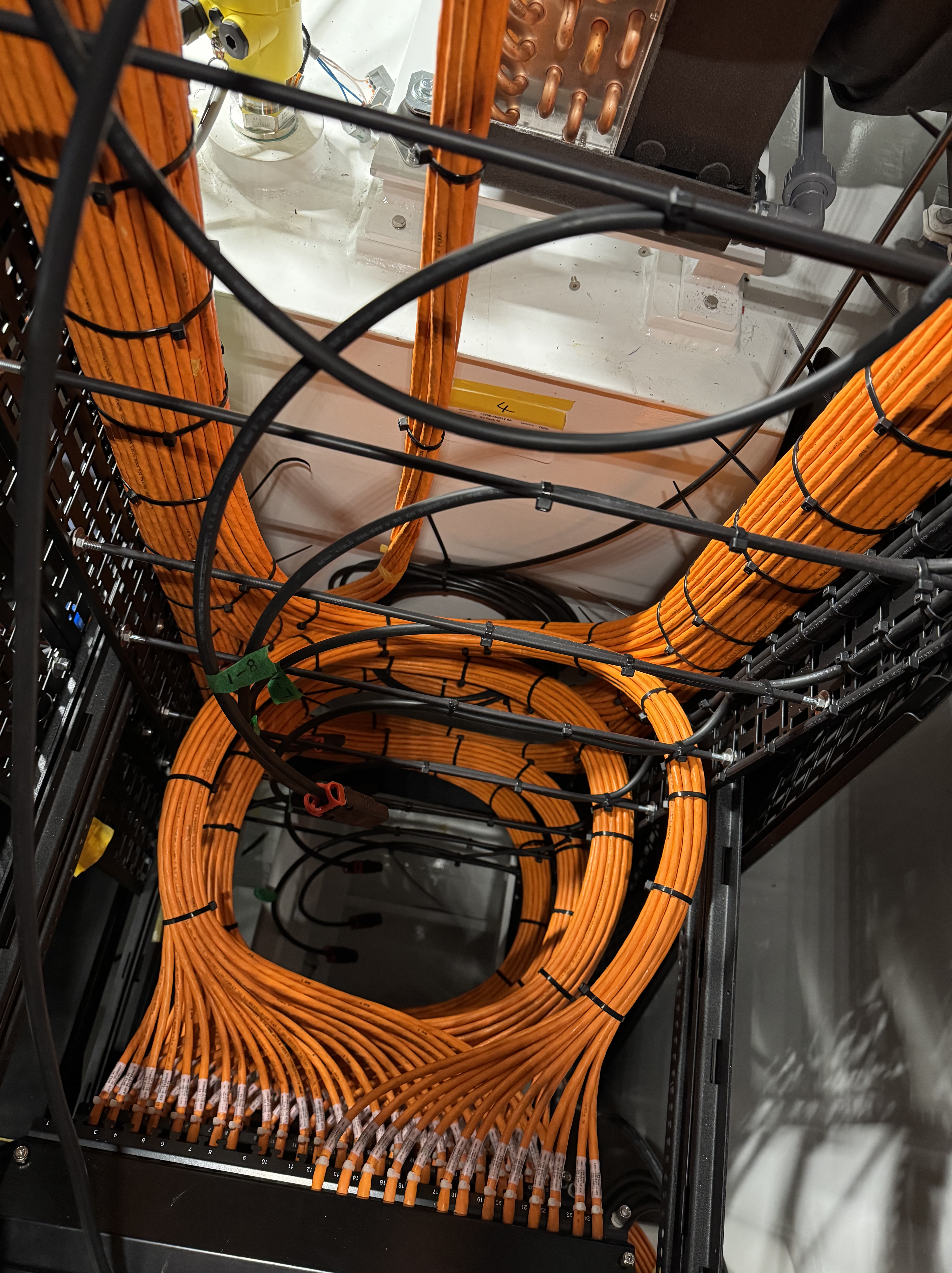
All of the Cat 7 copper was terminated by hand. On a project this size that’s a pretty large amount of terminations, and every single one was tested. The fibre runs between decks are what carry the uplinks between the core switches and the distribution stacks on the owners and bridge decks, so pretty essential! A bad termination at Layer 1 causes problems that are very difficult to diagnose once everything is patched up and running. I’ve seen engineers spend hours troubleshooting what turned out to be a dodgy connector I could have spotted with ease, the benefit of experience. Clean physical infrastructure and documentation makes for a solid layer 1 base.
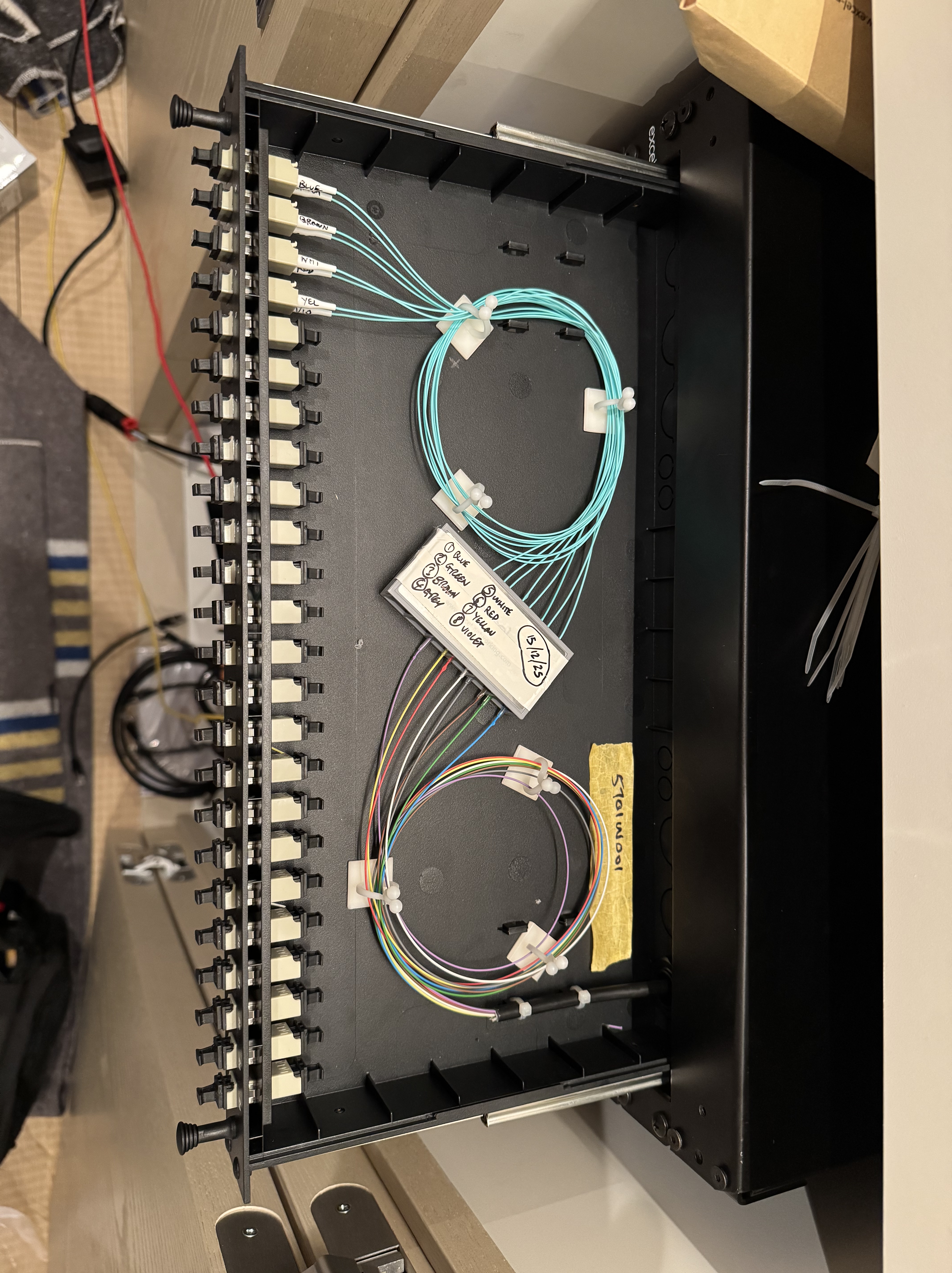
The Crestron NVX system runs on its own dedicated Netgear AV switches. It’s a closed network (completely separate from the Cisco infrastructure) because NVX video streaming is bandwidth heavy and latency sensitive, keeping general IT traffic away makes everything run much better. I installed all of the NVX chassis, cards and encoder/decoders in all of the rack spaces and terminated all of the fibre connections between them.
The sat comms rack equipment and domes were also part of my install scope. Starlink, 5G, a marina WiFi antenna and a VSAT unit, all feeding into the Kerio firewalls. Starlink has made a big difference to the approach many new build yachts are taking. The ability to have affordable, reliable internet connections at sea is seeing a big decline in the more traditional satellite TV systems (Think lots and lots of coax distribution in the main AV rack room). Alternative forms of communications like 5G (We have used a really cool antenna with 12 cross polarised antennas) and even marina wifi mean you have alternative data routes when in port or close to the shore.
Installing something and understanding it are two different things. I’ve known that for a while but this project made it impossible to ignore. I could look at the completed rack and tell you exactly what every piece of kit does physically. What I couldn’t always do was explain the logic running on top of it, why certain design decisions had been made, what would happen if something failed, or how the different parts of the network were actually talking to each other.
That’s where the CCNA study has started to fill in the gaps. I’m not through it yet, but there are already moments where something I built months ago suddenly makes a lot more sense. Two good examples from this project are the Bonjour reflector and the way the Kerio firewall manages the four WAN connections across different VLANs.
The Bonjour reflector was one I had to look up when it was first specified. I knew it was needed, I installed it, but I couldn’t have told you exactly why without reading around it. The short version is that Bonjour (Apple’s device discovery protocol) works by sending out small broadcast packets advertising their services. The problem is that those packets don’t cross VLANs. The moment you segment a network, which any properly designed network does, device discovery breaks. A phone on the guest VLAN can’t see the screen it’s supposed to cast to on another VLAN. On a yacht where guests expect everything to just work, that can cause a few problems. The Mikrotik reflector sits in the middle and listens for those announcements on every VLAN, then repeats them across to the VLANs that are allowed to see them. Simple concept, but without it the whole user experience falls apart. Understanding mDNS and why it behaves the way it does is one of those things that the CCNA study context actually makes click — it’s not just a box on a diagram anymore but something I’m working to understand in greater detail.
The Kerio firewall setup was another one. Four WAN connections sounds straightforward until you start thinking about what that actually means in practice. Starlink, 5G, marina WiFi and VSAT aren’t equal. They have different speeds, different reliability and very different costs. VSAT in particular is stupidly expensive per megabyte, so you only want it used as a genuine last resort. Kerio monitors all four connections continuously and fails traffic over automatically based on a priority order you set. But the part that’s really started to make sense through CCNA study is the policy-based routing per VLAN. Because the Cisco core switches trunk tagged VLAN traffic up to the Kerio, the firewall can treat different groups of users differently at the WAN edge. Guest traffic goes out over Starlink. Crew traffic might use 5G when it’s available. The VLAN isn’t just a way of separating devices it gives the firewall something to make decisions with. That was a genuine lightbulb moment for me and it came directly from studying for this exam and talking to the network engineer on site.
I want to be honest about all of this because I think it’s more useful than pretending I understand it all. There are parts of this network I physically installed but couldn’t fully explain if you pushed me on them. How STP behaves across the stacked switches when there’s a link failure and, to be honest, in general. Exactly how the WLC manages roaming handoffs as a phone or laptop moves between access points across three decks (This is something I would like to really break down over time as its essential onboard). The specifics of how the VLAN trunking between the core switches and the Kerio firewall is actually configured at the CLI level rather than in a GUI. These are just a few of the things on my list. The study is ongoing!
I’m working through the CCNA at the same time as doing this job day to day, which means the study and the practical work are constantly informing each other in a way I don’t think you can always mimic with videos and books. Every time something clicks in the course material I find myself thinking how it can relate to my current project, I can better understand decisions and why they were made which is pretty cool.
If you’ve worked on anything similar — marine installs, large-scale AV networks running alongside enterprise IT, or you’re mid-CCNA yourself — I’d genuinely like to hear how you approached it and how you balance the workload. Until the next post it’s back to the grind!

Leave a Reply